Saturday, 17 May 2008

Animation & Looping

Animation takes time.
Animation loops are a way of saving time when a repetitive action is involved or could be involved.
When we look at cartoons like Pokemon we see how the directors utilize background looping, and looping various other sequences in nearly every scene solely to save money, a minimal result meeting with the bare requirements.
However, films can be about loops in themselves, short term and long term.


The shots to the left are from a short animation called Tango - by Zbigniew Rybczynski (1982) (IMDb). The film starts off with a what appears to be a normal event, with a character entering the room, but the character fully leaves the room at the end of their scene, allowing the same scene to be repeated again, this allows the director to overlay as many scenes as he wants in a fluent and humorous way.


One of my favorite artists with a theme based around loops is Cyriak ( www.cyriak.co.uk )
A lot of his work is comprised of short animations, almost always evidently looping.
His short animation mix video is comprised of short loops he made originally as indents.
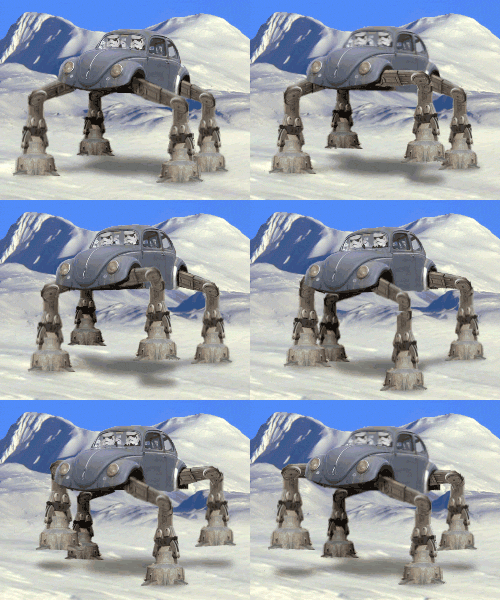
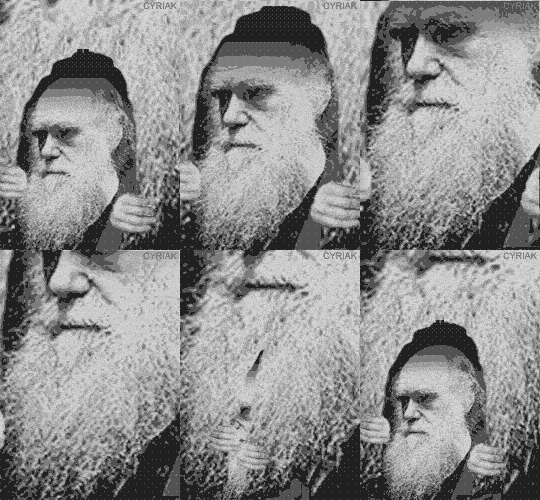


Looping an animation.
For an animation to loop, it needs to have a starting point identical to the ending point, and the transition between them through the course of the animation needs to be smooth.
Though these are just the conditions for conventional loops, the concept can be mixed about and made slightly irregular and when it comes to computer animation and games, the term "loop" can change drastically, but still in essence present the same concept.

For my animation project I decided to utilize sound as the main backbone to the loop, as a director for the project I planned out the scene and explained to my animator what i required. I wanted to combine traditional and "tacky" with modern and mechanical.
I considered the music to be the most important aspect of the loop, so I chose to use an extract from an Autechre (warp site) track titled Eutow. After looping the sound i then went on to render some of my 3d models as wire frames to overlay on the final product.


My choice in the combination of these styles was a play on how I've been inspired by a lot of videos for autechre's music yet I've still got a residual love for immaturity.

Tuesday, 13 May 2008

Compositing and Synchronisation

CGI compositing is an extremely important area of specialization which is required in order to reach the highest level of realism for films utilising special effects.

What is it?
Compositing is the process of combining multiple scenes (usually a virtual component with a real life scene) in a realistic manner, creating an output which looks just as realistic as the original scene without noticeable flaws (de-synchronization of location, colour, movement)

Green/Blue screen compositing - also known as keying, the process involves a character or object you wish to composite into another scene and a single colour background. The colour to use for a background should not be naturally occurring or found anywhere on the object or character you wish to composite. This concept is simple an works on the basis that the software you are using will register the background colour as transparent, allowing only the foreground object to be visible and showing the scene you want in the background. There are many many more variables involved in getting a realistic combination, for example the lighting and atmosphere need to be the same for both scenes and the background colour needs to be solid.

There are other and new ways for compositing, one of which just involves using a camera and software to detect only the moving components in a scene, making the rest of the scene transparent.
Static Background Keying, as i like to call it, is usually not solely used for major films and comes as standard with some webcams.


Camera Tracking - I came to be aware of how useful this attribute can be for super-realistic compositing after seeing some compositions by 1st Ave Machine, an animation studio in NYC.


Using camera tracking, the animators can create models within a virtual scene where the computer is aware of the movements the camera took whilst recording footage, this means that once the 3D animation is finished, the rendered output will move according to every movement the camera took, canceling out any de-synchronization. Combined with HDRI texture mapping the final product can look completely life like.

Compositing is used in many, many films, the technique can be used to transform environments and allow the wealthy film companies to create almost anything they want.

I have recently got into Adobe After Effects, for one of my films I'll be trying to composite some of my 3D models into a film project I have been working on, "the false narrator".
Heres a video of the original model, with green screen:


And here's a the final scene where i have keyed out the background and overlaid the original image, with extra effects like blur, noise, colour channel mixing and exposure mapped to sound intensity:


CGI and Special Effects Part 2 - Animation of CGI and special effects

Animation of CGI and special effects:
The control of CGI for film is vital for artists seeking to achieve accurate and realistic motion.
Animation used to be a matter of frame by frame capture, 3D modeling and animation aplications can "tween" and plot paths for objects according to a vast range of variable inputs available.

So I'll go through the methods of input involved for digital animation of effects and general CGI

Manual keyframe input - this kind of process is my level of understanding at the moment, I am able to animate models in 3D through manual input, telling the program at what point in time and at what rate certain models should have their attributes modified, this can be anything from movement to a specific effect. The software will then tween the values and through a gradient/rate of your choice will integrate movement between the points in time identified.
Image Hosted by ImageShack.us

Motion capture (wiki link) - This process can be carried out in a few different ways and has advanced considerably through time, here is an example of a non-optical process shown in this video:


I was very interested to find out that technology now permits 3D motion to be captured just using a small array of cameras (even just 2) to interpret and record motion.

Simulation and Generation - This method can be used for particle based simulations and other large character group animations for example swarms of birds or bees ect. (wiki)

A good example you may not have seen which involves computer generated animation:


CGI and Special Effects - 3D Environments and Models

Computer Generated Imagery has come to dominate nearly everything we see nowadays, nearly every major film release contains considerable amounts of special effects.

The best way for me to cover this subject area is by presenting what I see as the main processes making up the basic backbone to all special effects and CGI.

Fully 3D environments and models:
I like to think of this area of art as my personal favorite, but only in the concept of it as a medium, not an actual art form in itself, something i will only agree to in rare circumstances. I perceive 3D modeling and digital visual generation as what should be the main attributes of a digital artist. Though I have always personally preferred to classify a better digital artist by the amount he/she experiments with mediums in the most unusual fashion.

But for this post I'll be briefly looking into the more well established methods of CGI, where everything you see has been crafted using software. The main points to consider about fully virtual images and movies:

- The process requires no real actors, or anything captured in real life, usually with the exception of textures. However, textures and voice acting can be generated/emulated if so desired.

- According to the complexity of technology, skill and budget (for major films)
available, scenes with ultra-realism can be achieved (a nice example)

- Modeling can take on many forms, the processes I am familiar with are polygon editing, particle/metaball compostions and spline modeling. Though modeling can take on higher forms involving computer algorithms for generation of shapes, organic or abstract. Fractal art is a good example of this.
This is a good opportunity for me to link to some basic free software available for modeling
polygon based modeling - wings 3D
Spline, polygon, particle editing/generation - Blender (this can be used for polygon editing and many many other features. one of the best free 3D editors there is, as you may already know!)
Fractal generation - Apophysis

Since joining deviant art a long time ago I have mainly worked with still images, creating abstract shapes and environments, some of my influences have come from websites like http://www.cgsociety.org/ and http://www.depthcore.com/ .

Wave Vessel Part 2 - New Media art

An artist that was recently made known to me is Nam June Paik, a major innovator in new media art. His work mainly focused around artistic utilization of television monitors, not just as a canvas for moving image but as a physical sculpture.

I too like to think that I share a certain aspect of this fascination for analog technology. Though my knowledge and experience is lacking, I see my creation of the wave vessel shown in the previous post as a first step and insight into this area of new media art.


The official website contains very interesting information and artwork, www.paikstudios.com

The development of artists through time has always been affected by new technologies and the ability to utilize them in ways originally not intended has always been the focus point for me when it comes to new media art.

For example, magnets are well known for their ability to break or irreversibly damage electronics, especially monitors. But it does look great. Paik's use of magnets to abstract the cathode ray tube representation of an image is the same as when I tried to enlarge the image produced by my wave vessel.
I used a magnet from a hard drive, he used..
Anyways, here are some stills of my vessel with and without the magnet "attachment"

Image Hosted by ImageShack.us
I placed the magnet at the front of the screen and behind, lying on top of the ray tube.

Here are some closer cuts with the magnet resting behind the screen.

Image Hosted by ImageShack.us

What I have achieved is nothing compared to some of the amazing sets I saw on youtube:


The patterns he has created here seem similar to mine, so i can establish that re-wiring of the cathode ray input has been done, but to achieve the effects he has, i cannot begin to speculate. But i have only recently been looking into Paik's work.

Ive had a few ideas for any future TV modification work I might try during the summer, I'l be looking about for variable intensity magnets, which can be controlled by various inputs.

Wave Vessel

A long time ago, my friend showed me a link to a project some people had undertaken to electronically modify old televisions/computer monitors.
The website, censtron.com, contains footage and information about electronics modified to become instruments of experimental audio visual entertainment.
Some of these are available for purchase, but personally I see the construction of such an instrument to be the most interesting and glorifying part of the experience.
The website contains an online tutorial (link) on how to create your own "wave vessel", this is basically an old television set, or computer monitor, using a cathode ray tube capable of only projecting one colour of light. Though they've recently managed to create a wave vessel with a colour monitor, I wont go into that for this entry.

Creating a wave vessel seemed straight forward, especially following the tutorial, the only major problems were finding a black and white TV, then being careful not to die while working on the modifications.

Here are some shots of my vessel, I used a little portable TV I found in the closet.
Image Hosted by ImageShack.us
With a black and white TV the only inputs for the cathode ray tube are horizontal +/- and vertical +/-
re-routing them through a switch allows the TV to alternate between 2 modes, when the audio +/- input is connected. I connected my computer audio out to the 1/4" jack i had soldered in, which i had to then rip off when encountering various problems, it all worked out in the end.


Image Hosted by ImageShack.us


Here is an extract from one of my films, showing the wave vessel in action, The audio is by Kazumoto Endo:


Kazumoto Endo was a great choice to have for this scene, to see the peaks and shapes of the noise he creates in a raw fashion suited the primitive and dangerous modification of the television.
ka.zumo.to

In my next post I'll be looking at Nam June Paik, a great artist with a style incorporating "old" technology such as this.